Summary: In 2026, you don’t need a massive budget or coding skills to become a professional blogger. This guide simplifies the ‘zero-to-launch’ process, showing you how to start a blog and pick the right free platform (like WordPress or Substack), find a profitable niche that AI can’t replicate, and set up your site in under 30 minutes. Whether you want to share your passion or build a side income, you’ll find everything from technical setup to monetization secrets for 2026 right here.
You don’t need money, coding skills, or a tech background to start a blog in 2026. You need about 30 minutes and this guide.
Blogging is far from dead — short articles and blog posts remain one of the most effective content formats for building an audience and an income, even as social media trends shift constantly. The barrier to entry has actually never been lower. This guide walks you through every step, from choosing a platform to publishing your first post, without skipping anything beginners actually need to know.
Is Blogging Still Worth It in 2026?
Yes — and the data backs this up. Blogs remain one of the most reliable content formats for businesses and personal brands precisely because they’re not dependent on a single platform’s algorithm the way social media is. A well-written blog post can keep generating traffic for years, while a social media post is forgotten within days.
That said, blogging in 2026 is different from blogging in 2015. Success now requires consistency, genuine value, and at least basic SEO knowledge — but it does not require expensive tools or years of experience to get started.
Step-by-Step Guide: How to Start A Blog in 2026
Step 1: Define Your Niche (The “Discover” Factor)
Most beginners skip this step or get it wrong, and it costs them months of wasted effort. Your niche determines everything — who reads your blog, how you make money, and how fast you can realistically grow.
A good niche for 2026 has three things:
- You have genuine interest or knowledge in it (you’ll be writing about this for months)
- There’s a clear way to monetize it eventually (advertising, products, services, affiliate offers)
- It’s specific enough that you’re not competing with massive established sites on every single topic
Profitable niches that still have room for new bloggers:
- Personal finance for specific situations (budgeting for students, debt payoff strategies)
- Niche hobbies with genuine communities (specific outdoor activities, collecting, crafts)
- Local or location-specific content (city guides, regional business directories)
- Beginner-focused tech tutorials (specific software, tools, or platforms)
- Side hustle and remote work guidance
Avoid extremely broad niches like “lifestyle” or “general blogging” without a specific angle — these are dominated by sites with years of authority and massive content libraries.
In the age of AI-generated content, generic blogs are dying. To rank on Google Discover or AI Overviews, you must be an authority.
- The Rule: Don’t write about “Fitness.” Write about “Yoga for Remote Tech Workers Over 40.”
- SEO Tip: Use tools like AnswerThePublic or Google Trends to see what people are asking today.
Step 2: Choose A Free Blogging Platform (The Free Way)
This is where most “how to start a blog” guides get complicated. Here’s the honest breakdown of your real options in 2026.
WordPress.com (Free Plan)
The most flexible free option. You get a subdomain (yourblog.wordpress.com), basic customization, and access to a massive plugin and theme ecosystem if you eventually upgrade. Best for bloggers who want long-term growth potential.
Blogger (by Google)
Completely free, simple, and reliable — Google has run this platform for two decades. Less flexible than WordPress in terms of design, but extremely easy for absolute beginners. Good for testing whether you actually enjoy blogging before investing further.
Medium
Built-in audience is the big advantage here — Medium has its own readership that can discover your content without any SEO work. The downside: you don’t fully own your content or audience, and monetization options are limited compared to a self-hosted blog.
Wix (Free Plan)
An AI-powered setup process makes this the fastest option to get a visually polished blog live. The free plan has more limitations on customization and monetization than WordPress, but it’s genuinely beginner-friendly.
Technical Set-Up:
- Sign Up: Choose your platform (I recommend WordPress.com for beginners who want to grow).
- Pick a Subdomain: You’ll start with yourname.wordpress.com. Tip: Keep it short and memorable.
- Choose a “Block-Based” Theme: In 2026, web dev is all about “Full Site Editing.” Pick a fast, lightweight theme like Twenty Twenty-Six or GeneratePress (if available).
- Essential Pages: You need an About page (to build trust), a Contact page, and a Privacy Policy (required for any future monetization).
The 2026 “Zero-Dollar” Strategy: Where to Build?
Not all “free” platforms are created equal. Depending on your goal, your choice will differ:
| Platform | Best For | Why Choose It? |
| WordPress.com | Long-term growth | The gold standard. If you plan to go professional later, starting here makes the transition to self-hosting seamless. |
| Wix (Free Plan) | Visuals & Design | Best for portfolios or fashion blogs where “look” matters more than heavy text. |
| Blogger.com | Simplicity | It’s a Google product. It’s old school, but it’s 100% free forever and integrates perfectly with Google AdSense. |
| Medium | Exposure | Best if you don’t want to manage a website and just want your voice heard by millions immediately. |
Our recommendation for most beginners: Start with WordPress.com or Blogger. Both let you test blogging seriously without spending anything, and WordPress in particular gives you a clear upgrade path if your blog grows.
Read Also: How to Make Money Online for Beginners in 2026
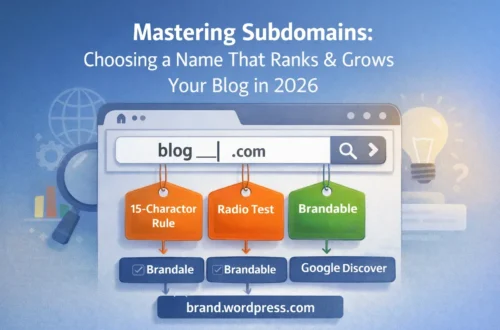
Step 3: Choose a Memorable Subdomain Name
Your free blog will typically use a subdomain — something like yourblogname.wordpress.com or yourblogname.blogspot.com. While this isn’t as professional-looking as a custom domain, you can still make a strong impression.
Tips for choosing your subdomain:
- Keep it short — under 15 characters when possible
- Make it easy to spell and pronounce out loud
- Avoid numbers and hyphens if you can help it
- Reflect your niche without being overly literal (you don’t need “blog” or “site” in the name)
If your blog grows, you can always migrate to a custom domain later — this is a common and straightforward path many successful bloggers have taken.
Step 4: Set Up Your Blog’s Essential Pages
Before publishing your first article, set up these foundational pages. Skipping this step is one of the most common beginner mistakes.
About Page
This is often the second most visited page on a new blog. Tell readers who you are, why you’re writing about this topic, and what they can expect to find. Keep it personal and conversational — readers connect with people, not faceless brands.
Contact Page
Even a simple contact form or email address builds trust. It also matters for AdSense approval later — Google wants to see that real websites have ways for visitors to reach the owner.
Privacy Policy Page
This is required for AdSense approval and for legal compliance if you’re collecting any visitor data (even just through analytics). Many free generators exist online to create a basic privacy policy quickly.
Step 5: Customize Your Blog Dashboard Settings
Before writing your first post, adjust a few settings that affect your blog long-term:
- Permalink structure — Set this to show post names in the URL (e.g., /your-post-title/) rather than dates or numbers. This is better for SEO and looks cleaner.
- Comment settings — Decide whether to moderate comments before they appear. For new blogs, moderation prevents spam from appearing publicly.
- Reading settings — Choose how many posts display on your homepage (typically 5-10 is standard).
Step 6: Write Your First Blog Post
Here’s where the actual content creation begins. Your first post doesn’t need to be perfect — it needs to exist and provide genuine value.
Structure that works for beginners:
- A hook in the first 2-3 sentences that addresses a real problem or question
- Clear H2 subheadings breaking the content into scannable sections
- Short paragraphs (2-4 sentences) — long blocks of text discourage reading on mobile
- A practical conclusion with a clear takeaway
Topics that work well for a first post:
- An introduction to your niche and why you’re blogging about it
- A beginner’s guide to a specific problem in your niche
- A personal story or experience that ties into your blog’s purpose
Step 7: Do Basic Keyword Research (Even If You’re Blogging for Fun)
Even casual bloggers benefit from understanding what people actually search for. Free tools like Google Keyword Planner or Ubersuggest let you check search volume for topic ideas before you spend hours writing about them.
The goal isn’t to write purely for search engines — it’s to make sure the topics you’re already interested in writing about also have an audience actively searching for them.
Simple keyword research process:
- Brainstorm 10-15 topic ideas in your niche
- Check each one’s search volume using a free tool
- Prioritize topics with decent volume but lower competition (these show up as “long-tail” keywords — longer, more specific phrases)
- Write naturally, but include your target phrase in your title and first paragraph
For more help with this process, see our complete guide on how to do keyword research for free as a beginner.
Step 8: Get Your Blog Found by Google
Publishing a post doesn’t mean Google will find it automatically — especially on free subdomains, which Google sometimes crawls more slowly than custom domains.
Submit your blog to Google Search Console:
- Create a free Google Search Console account
- Add and verify your blog
- Submit your sitemap (most platforms generate this automatically)
- Use the URL Inspection tool to manually request indexing for new posts
This single step dramatically speeds up how quickly your content gets discovered. Read our full walkthrough on how to use Google Search Console for free.
Step 9: Drive Your First Visitors (Without Spending Money)
New blogs face the classic chicken-and-egg problem — no traffic means no audience feedback, but no audience means it’s hard to grow traffic. Here’s how to break that cycle for free.
Pinterest is one of the most underrated free traffic sources for new bloggers, particularly in lifestyle, finance, food, and DIY niches. Create a vertical pin image for every post you publish.
Quora and Reddit let you answer genuine questions in your niche and link back to detailed blog posts where relevant — never as pure self-promotion, always as genuinely helpful context.
Social sharing on whatever platforms you already use — even a small existing network can become your first 20-50 readers.
For the complete strategy, read how to increase blog traffic without spending money.
Step 10: How and When to Start Making Money
This is the question every new blogger eventually asks. Here’s the honest timeline.
Realistically, expect 3-6 months before any meaningful income, even with consistent effort. This isn’t discouraging — it’s just how search engines and audiences build trust over time.
Common monetization paths for beginners:
Display ads (Google AdSense) — The most common starting point. Requires a track record of quality content and decent traffic before approval. Read our guide on how to get Google AdSense approved fast in 2026.
Affiliate marketing — Promoting products or services you genuinely use and recommending them with a tracked link. No minimum traffic required to start, though more traffic means more potential commissions.
Digital products — eBooks, templates, or guides related to your niche. These can be created with minimal upfront cost and sold directly from your blog once you have an audience.
Freelance opportunities — Many bloggers use their blog as a portfolio that demonstrates writing or expertise, leading directly to freelance work in their niche.
Your Next Steps
You now have everything you need to start a blog for free in 2026. Here’s the realistic path forward:
- Pick your niche today — don’t overthink it, you can refine it later
- Choose WordPress.com or Blogger and create your account
- Set up your About, Contact, and Privacy Policy pages
- Write and publish your first post this week
- Submit your blog to Google Search Console immediately after publishing
The bloggers who succeed aren’t the ones with the perfect plan — they’re the ones who actually start and stay consistent for the first few months while everything builds momentum.
Common Beginner Questions About How to Start A Blog
Ques: How long does it take to make money from a blog?
Ans: Most bloggers see their first income between 3 and 12 months after starting, depending on niche, consistency, and content quality. Blogs in lower-competition niches with strong SEO fundamentals can occasionally see earlier results, but expecting income in the first month is unrealistic for almost everyone.
Ques: Do I need to know how to code to start a blog?
Ans: No. Modern blogging platforms like WordPress, Blogger, and Wix are designed for people with zero coding experience. You can build, customize, and publish a fully functional blog using only visual editors and pre-built themes.
Ques: Is it better to start free or pay for hosting right away?
Ans: Starting free is a smart way to test whether you’ll actually stick with blogging before investing money. Once you’re publishing consistently and seeing some traction, upgrading to self-hosted WordPress with a custom domain (typically $35-65 per year) unlocks better monetization options and a more professional appearance.
Ques: What’s the biggest mistake new bloggers make?
Ans: Choosing a niche too broad to stand out in, or giving up before the 3-6 month mark when most blogs start gaining real traction. Consistency matters more than perfection in the early months.
Ques: Can I change my blog’s niche later if I change my mind?
Ans: Yes, though it’s easier to pivot early before you’ve built significant content and audience around your original niche. Many successful bloggers refined their niche after their first few months of writing once they understood what content resonated with readers.
Ques: Can I really start a blog for $0?
Ans: Yes. Platforms like Blogger, Wix, and WordPress.com offer 100% free tiers. However, they will display their own branding/ads on your site.
Ques: Do I need to know how to code?
Ans: Not at all. In 2026, most platforms use “Drag-and-Drop” or “AI Builders” that create the site for you based on a few questions.
Ques: Can I change to my own domain (e.g., .com) later?
Ans: Absolutely. Most bloggers start for free and buy a domain (usually $12-$15/year) once they see their traffic increasing.
Ques: How long does it take to see results?
Ans: Typically, it takes 4 to 6 months of consistent posting (2 times a week) to start seeing organic traffic from search engines.
Continue learning: Best Free Blogging Platforms to Start Your Journey in 2026
Continue learning: How to Choose a Memorable Subdomain Name for Your Blog
Continue learning: How to Design a Logo for Free: The Ultimate Step-by-Step Guide
Continue learning: Must-Have Pages for Every New Blog: About, Contact, and Privacy